获取用户使用的自定义菜鸟电子面单
登录云打印模板设计网站,并使用账号登录进去: http://cloudprint.cainiao.com/print/login.vm?__output_charset=gbk
获取用户使用的菜鸟的自定义电子面单 ,对应菜鸟模板设计图的此处位置,如下图:
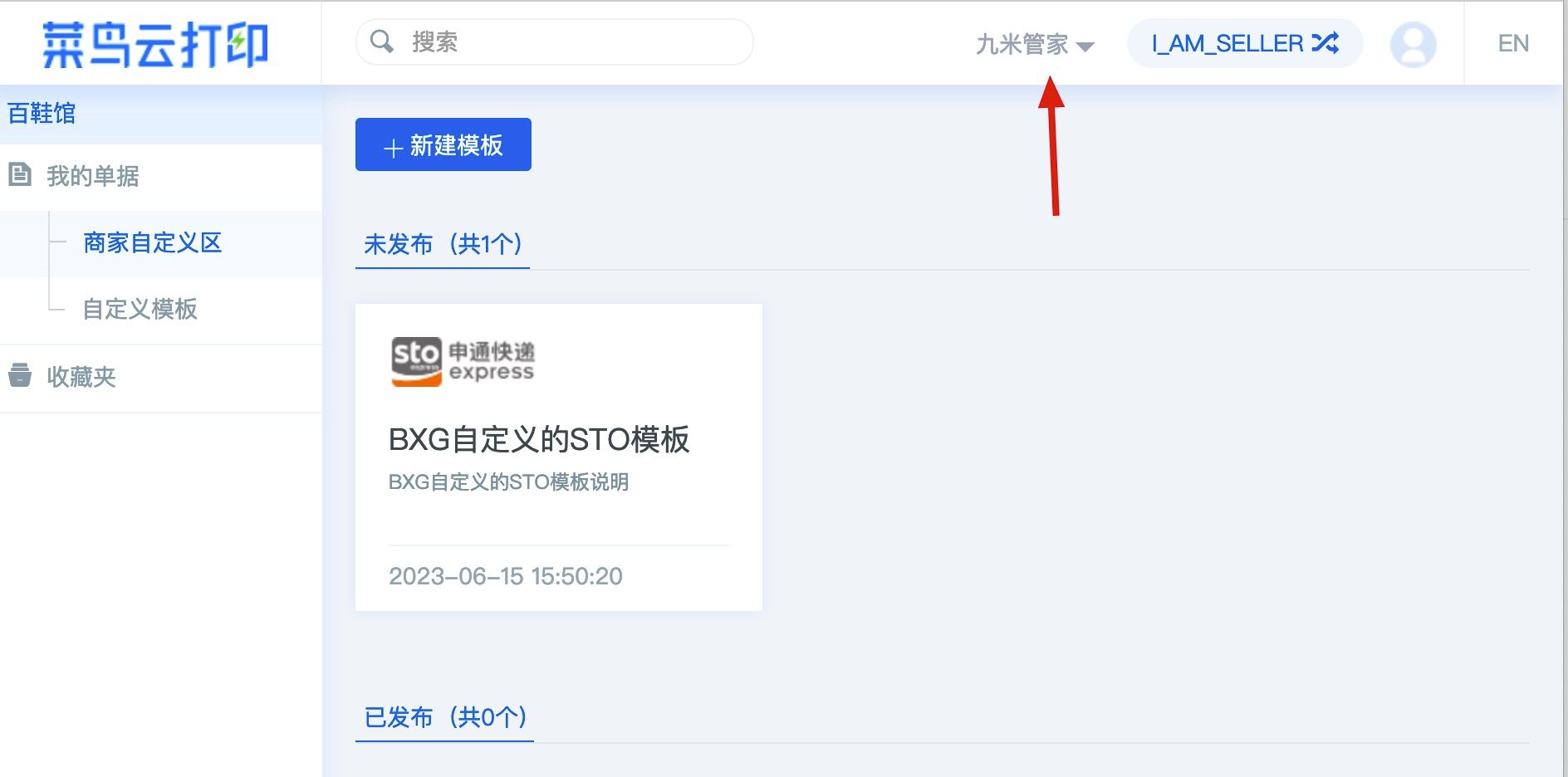
上图应用选九米管家或是蚂蚁打单
一、请求参数
请求URL:
POST https://kf.fw199.com/gateway/taobao/cainiao/cloudprint/getmytemplates
| 参数名 | 类型 | 必须 | 示例值 | 说明 |
|---|---|---|---|---|
| appid | String | true | uwkahf@jfs92 | 合作伙伴AppId |
| timestamp | String | true | 1633618722 | 当前时间戳 |
| tb_seller_nick | String | true | kingdo | 淘宝卖家店铺登录账号,非店铺名称 |
| sign | String | true | 999de41d862efaa6f1084ead3b3ba480 | 如何计算生成见示例代码 |
| sysid | String | 可空, 代表不同的应用,具体请咨询客服 |
二、请求示例代码
Java
@Test    public void TaoBaoCaiNiaoCloudPrintMytemplates() throws Exception {
        String tb_seller_nick = Config.TBSellerNick;        Map<String, String> data = new HashMap<String, String>();        data.put("appid", Config.AppId);        //    data.put("sysid", "103"); // 代表不同的应用,具体请咨询客服        data.put("tb_seller_nick", tb_seller_nick);        Long timestamp = System.currentTimeMillis() / 1000;        data.put("timestamp", timestamp.toString());        data.put("sign", Utils.Sign(data, Config.AppSecret));        // 调用服务API        String result = doHttpRequest(Config.TaoBaoCaiNiaoCloudPrintMytemplatesUrl, data);        System.out.println(result);
    }
三、返回结果
返回结果如下
{ "code": 0, "message": "ok", "data": { "request_id": "15ri5svqarbzt", "result": { "datas": [ { "cp_code": "STO", "user_std_templates": [ { "brand_code": "default", "keys": [], "user_std_template_id": 24482139, "user_std_template_name": "BXG自定义的STO模板", "user_std_template_url": "https://cloudprint.cainiao.com/template/standard/201/217" } ] } ], "error_code": "0", "success": true } }, "trace_id": ""}四、返回参数说明
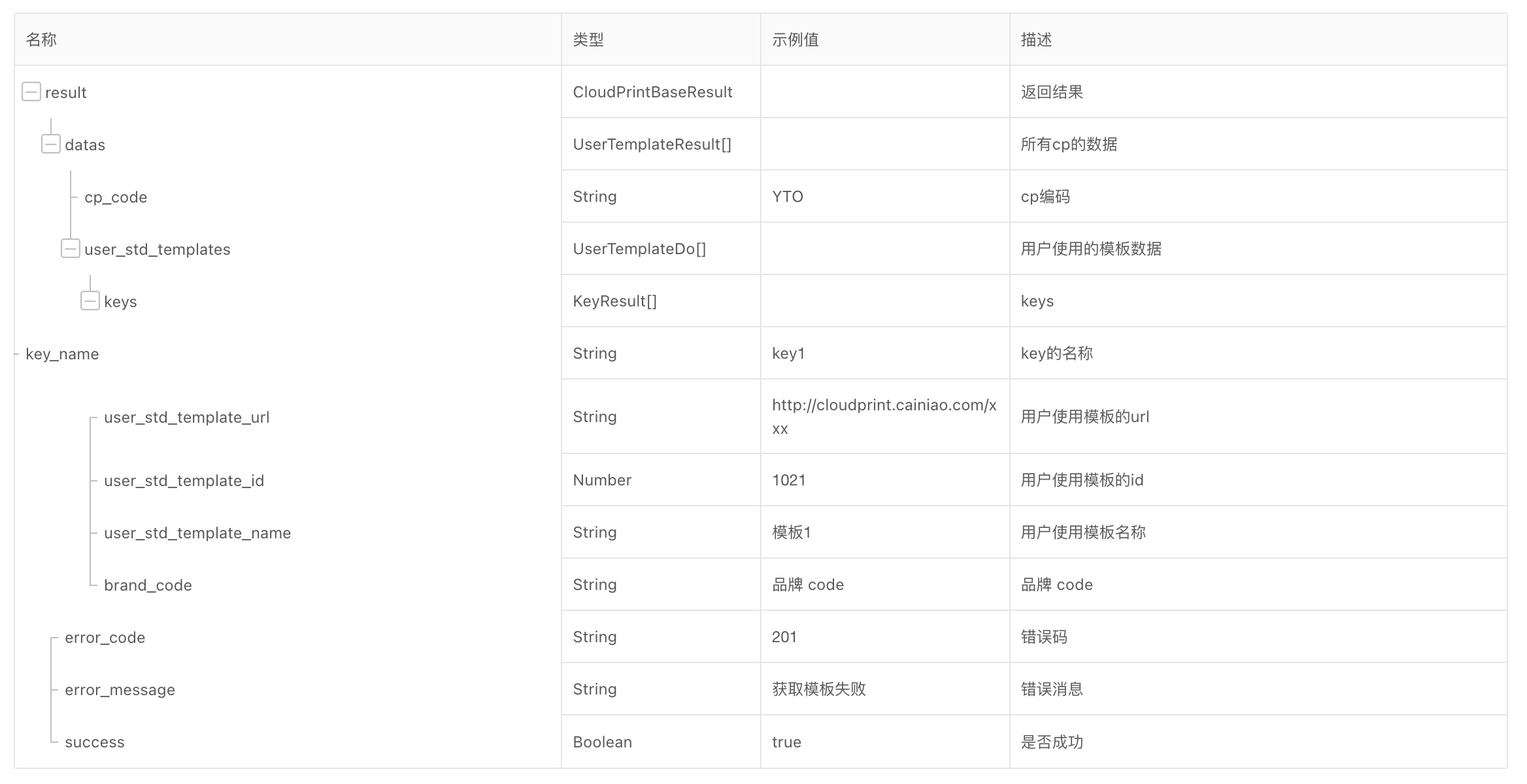
说明: code为0表示成功,非0为失败,message会包含失败原因。 对应淘宝:https://open.taobao.com/api.htm?docId=26758&docType=2&source=search